

Create a ZIP File
How to compress files into a ZIP archive before uploading.
For uploads of more than 200 files, DekkoSecure strongly recommends compressing your data in to a ZIP file before adding it to the system. Uploading, sharing and downloading hundreds of individual files can take a long time because each one is uniquely encrypted on your computer.
Note: ZIP files cannot be unzipped in the DekkoSecure app.
Create a ZIP file on Windows
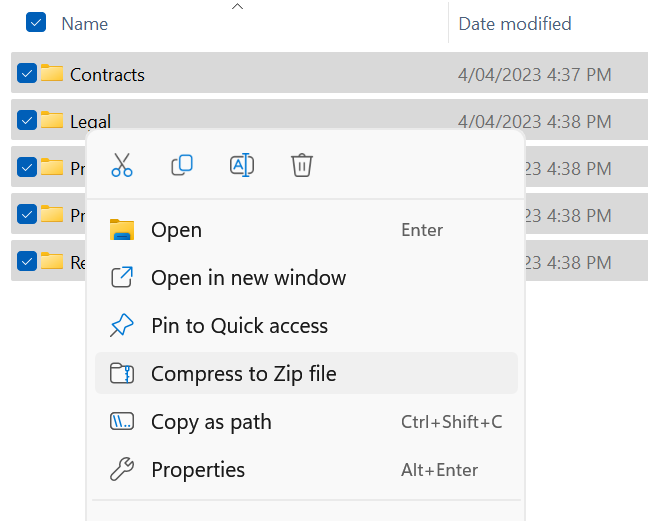
Right-click on the files or folder(s) and select "Compress to ZIP file":
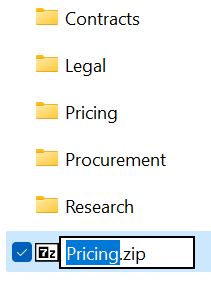
Your computer will create a ZIP file in the same location as the original folder/files:
That's it! You are ready to upload and share your ZIP file.
Create a ZIP file on a Mac
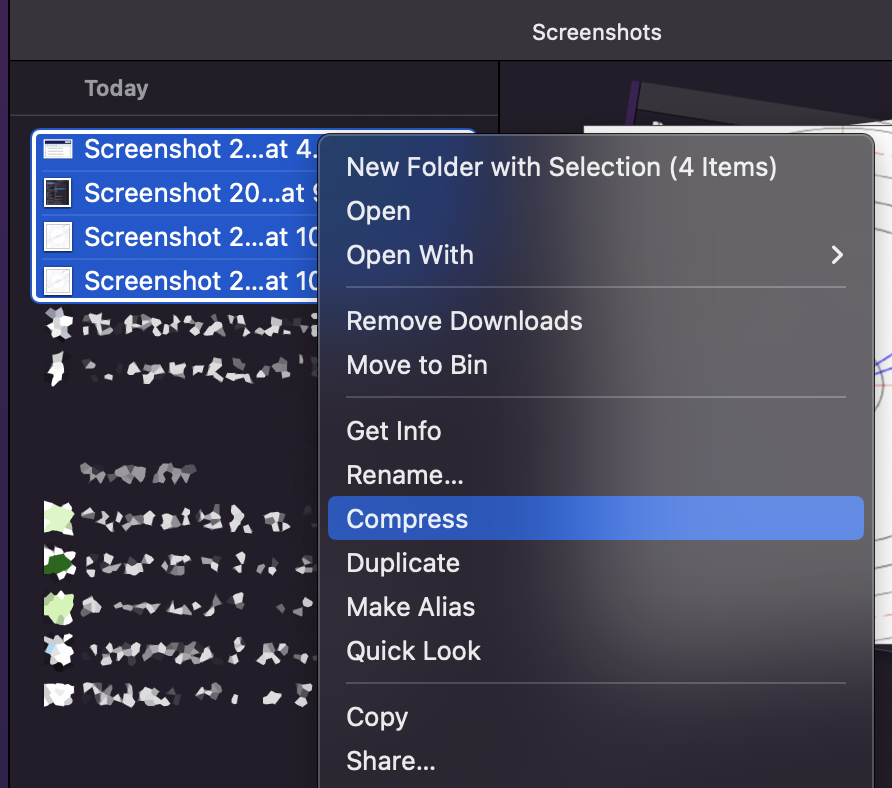
Right-click on the files or folder(s) and select "Compress":
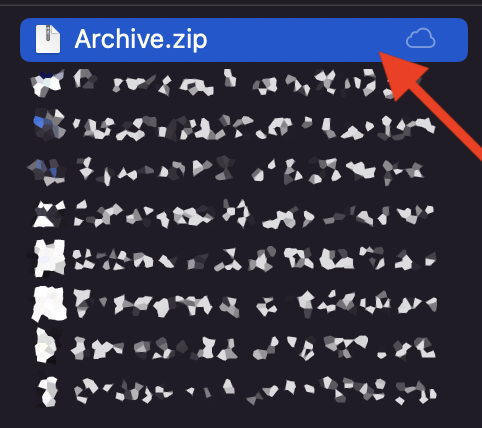
Your Mac will create a ZIP file in the same location as the original folder/files (we suggest renaming the file):
That's it! You are ready to upload and share your ZIP file.