

Create a Profile Signature
Adding a handwritten or uploaded signature to your profile.
A signature can be saved on your profile for quick retrieval during document approval:
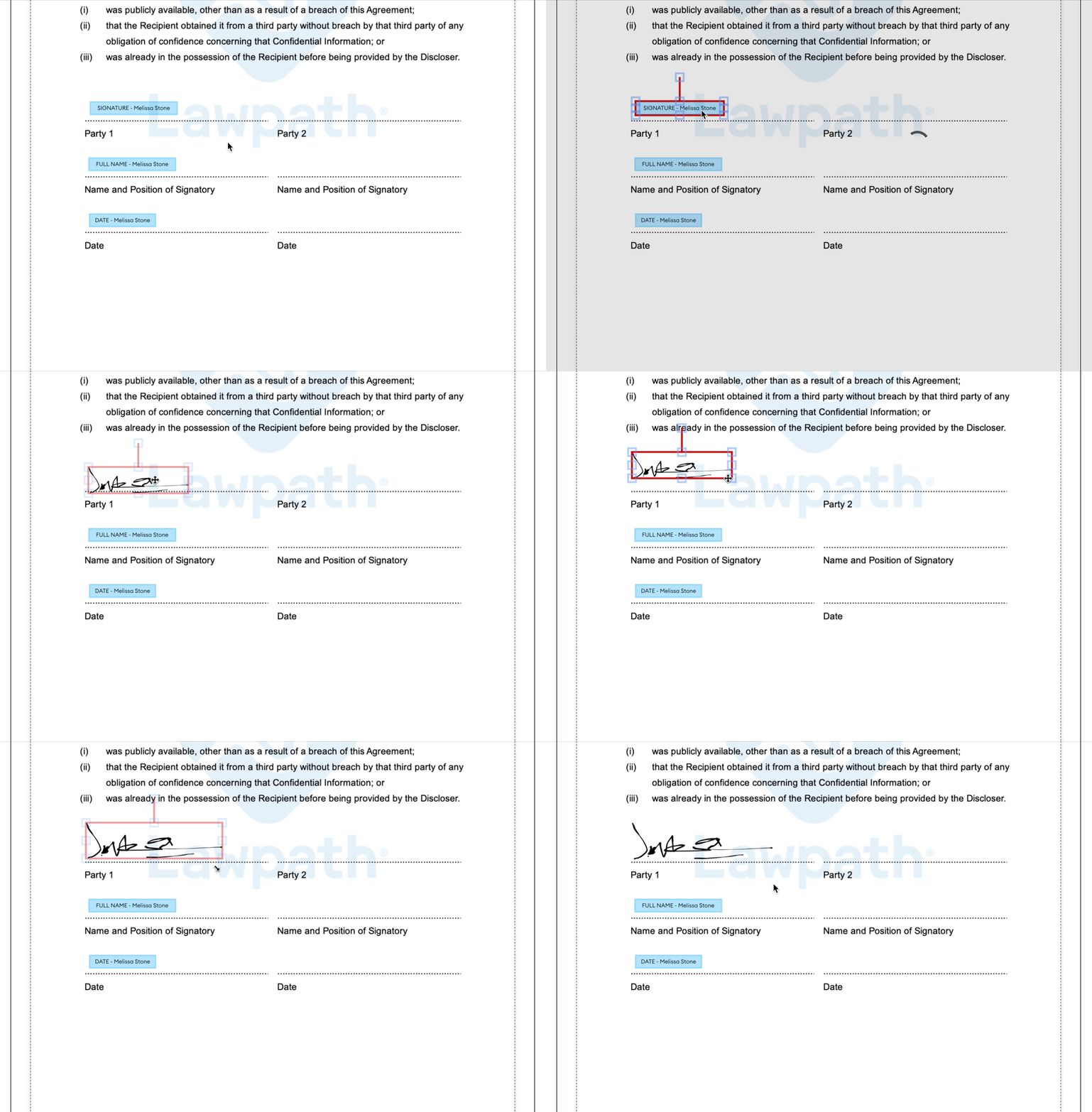
How to add a signature to your profile
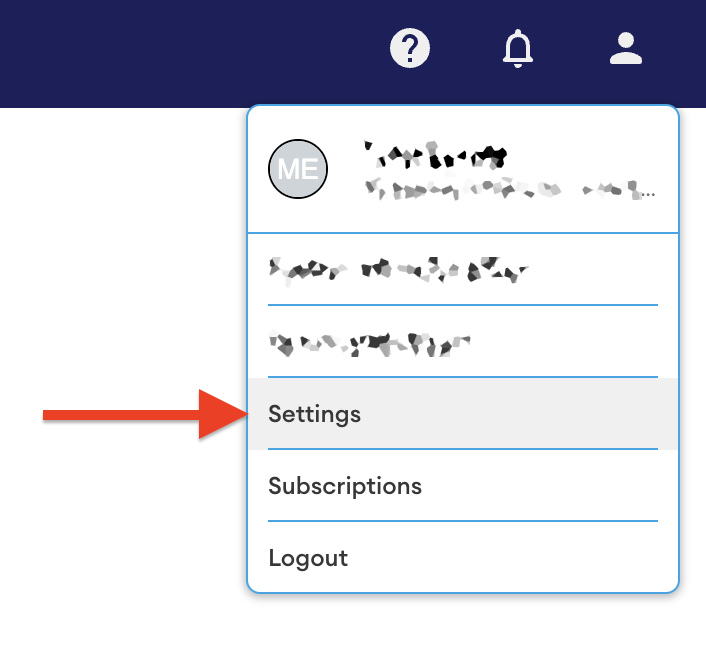
Open your profile settings and navigate to the 'Signature' section:
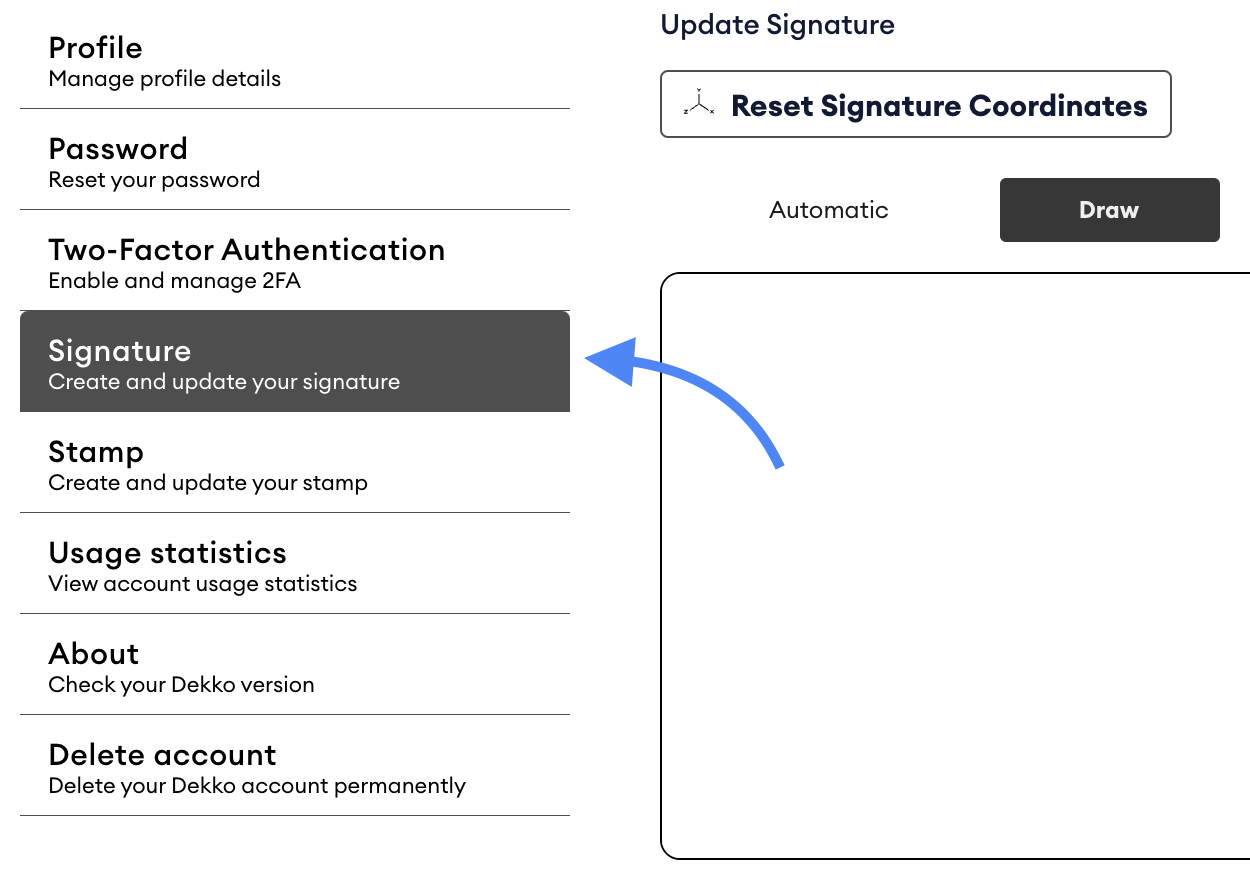
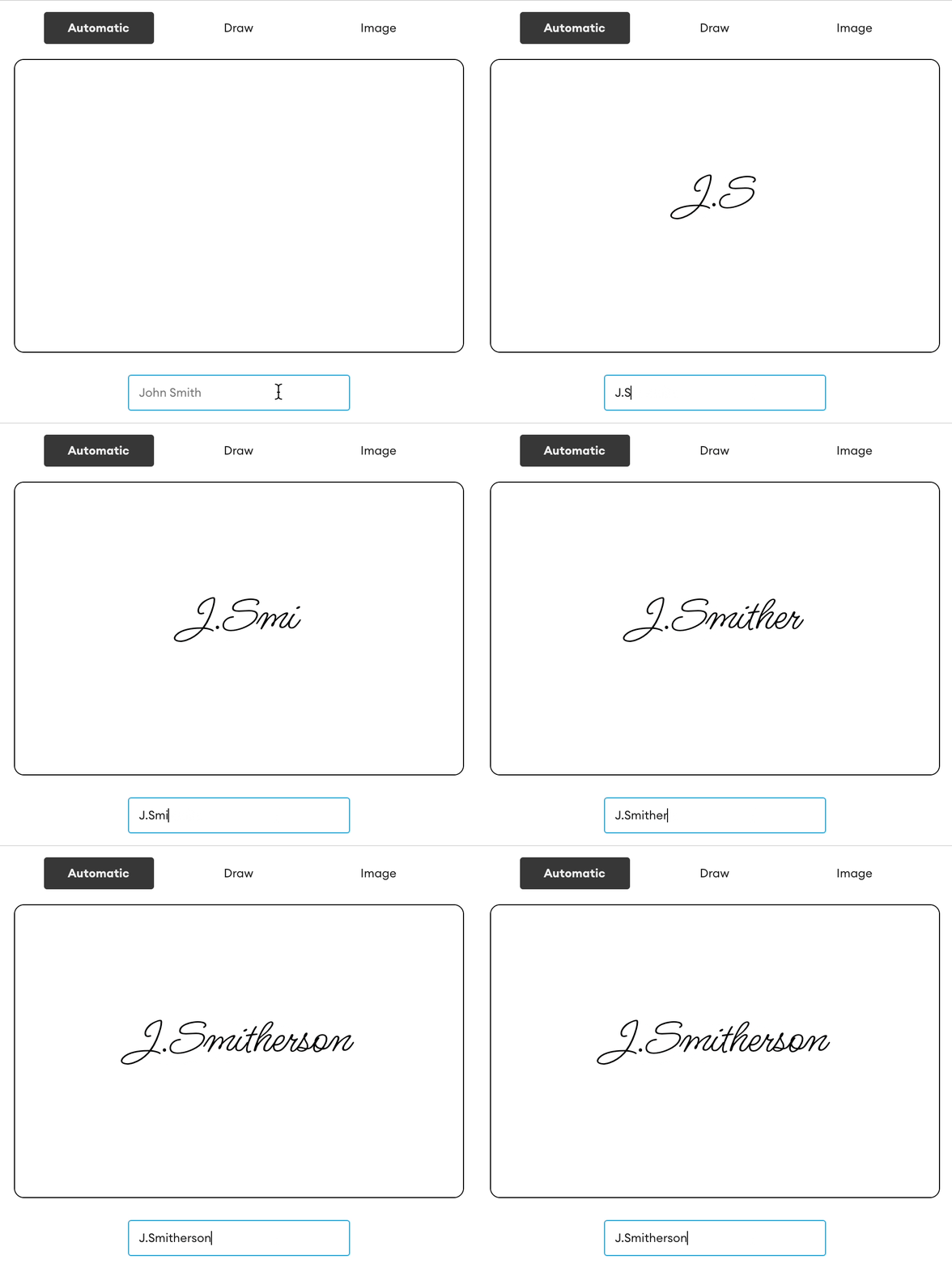
There are 3 options for creating a signature:
- Typed using a signature-style font
- Drawn using a touch screen or mouse
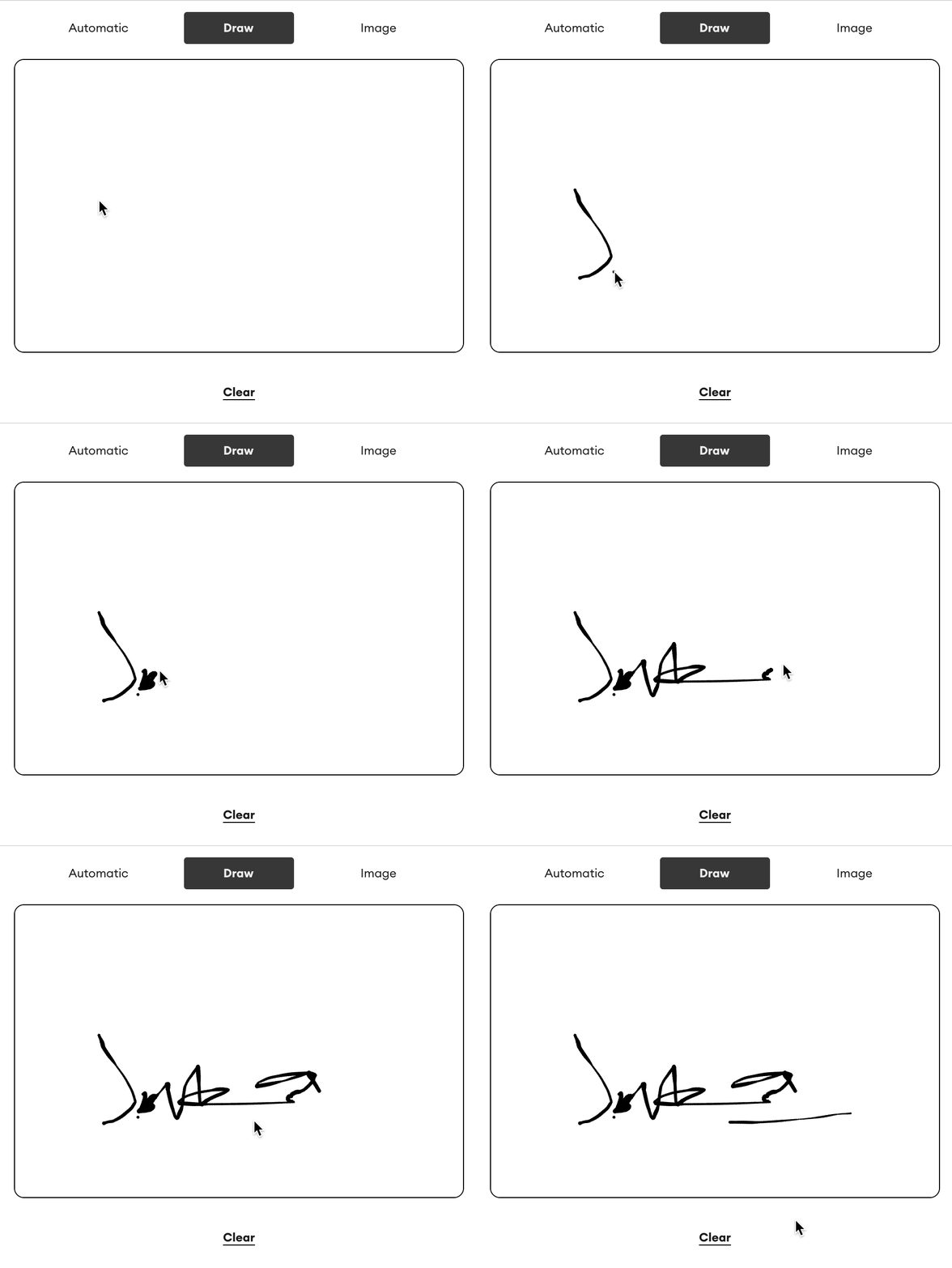
- From an image
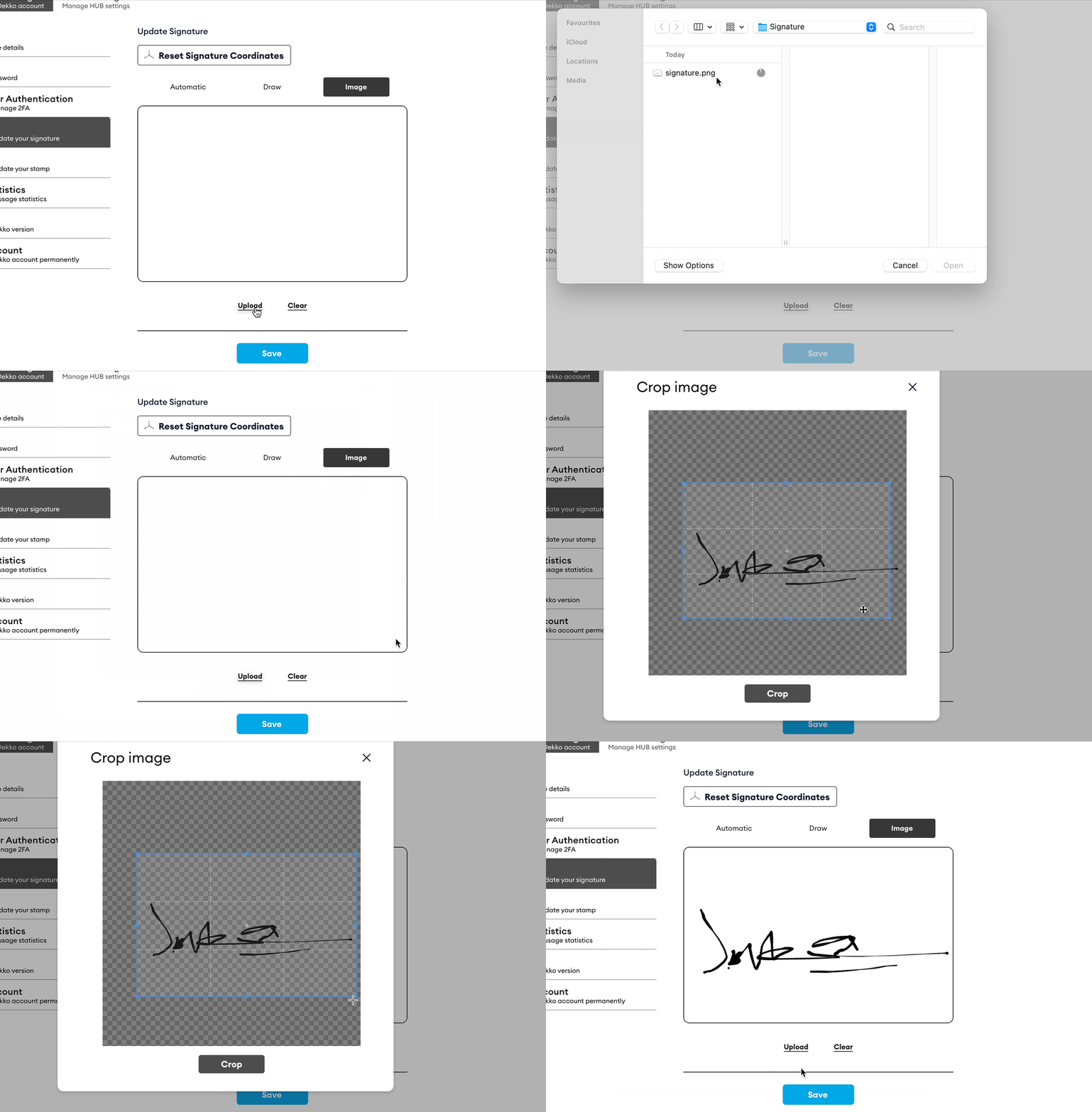
If you’re uploading an image for your signature, it’s preferable that the image has a transparent background so that its extremities don’t cover parts of the documents that you add you signature to.
If your signature image doesn’t have a transparent background, please check our guide for adding one to an image.
Finish by pressing [Save] to store your signature
You are now ready to use your signature during document approvals.
Was this article helpful?
Didn't find what you need?Ask the AI assistant about this topic, or contact support.
Request support