

Account access recovery for passkeys
Steps for regaining access to your passkey-enabled account
Did you save your recovery key? If you did, you can regain access to your account immediately.
If you have not saved your recovery key, you will need to request assistance from your DekkoSecure administrator (”Tenancy Manager”) to obtain a new recovery key.
Account access with a recovery key
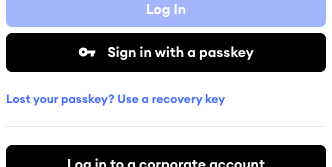
Go to the DekkoCORE log in page and click on Use a recovery key
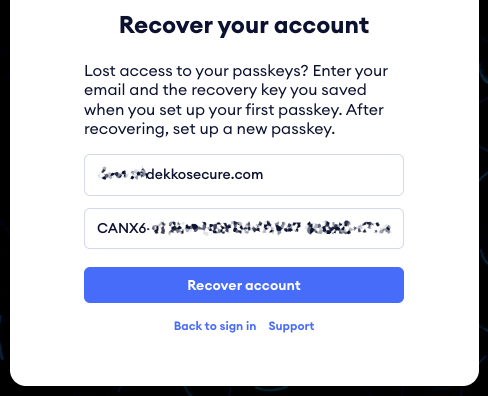
Enter your email address and recovery key, then click on Recover account
You will be taken to the passkey management page - set up a new passkey and save your new recovery key when prompted.
Was this article helpful?
Didn't find what you need?Ask the AI assistant about this topic, or contact support.
Request support