

Migrate your Account to Single Sign-On
Transitioning from standard login credentials to corporate login (SSO).
Already have a DekkoSecure account? Does your organisation have Single Sign-On set up with DekkoSecure? If the answer to both of these question is yes, this article is for you!
Migrating a regular DekkoSecure account (i.e., one that you log in to using your email, a password that you set and [optionally] 2FA) is easy:
If you are already logged in, log out.
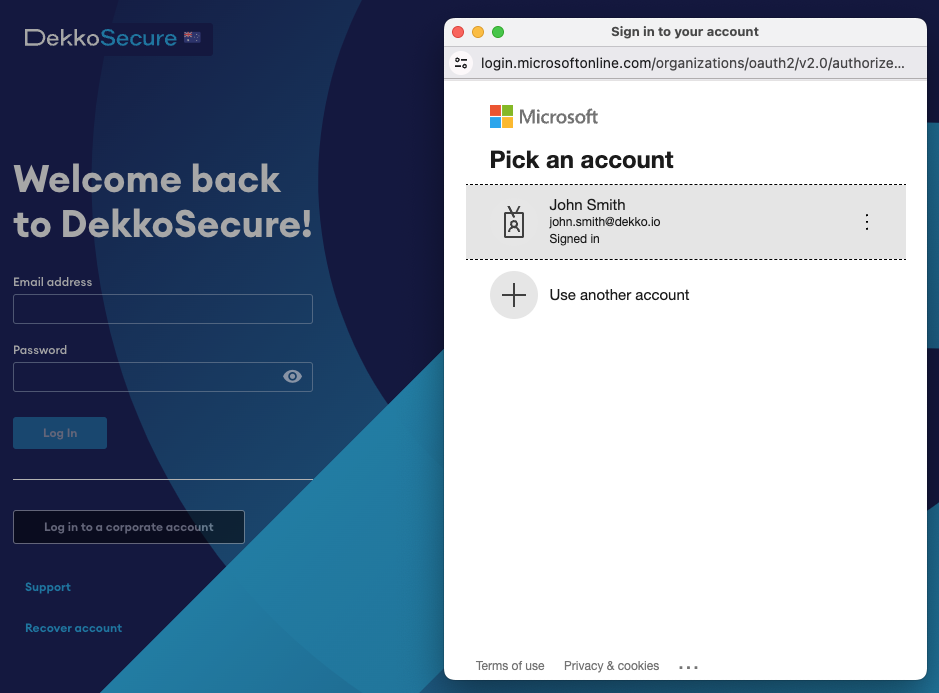
Press the Log in to a corporate account button.
Choose your Account, or if none are present, enter your email address:
Enter your corporate ID credentials.
The app will display a message, “Looks like you already have an account … “ - Enter you DekkoSecure account credentials (incl. 2FA if applicable) when prompted.
Wait for your account to be migrated - this usually takes a few seconds.
Your account is now set up for SSO! You can now use the Log in to a corporate account button whenever you access DekkoSecure.