

Business Process Mapping and Governance
Planning your Tenancies, Hub structure, folder hierarchy, and user roles.
Tenancies
Tenancies are a centralised location for an organisation’s administrator(s) to perform activities that relate to user management, policy enforcement, usage reports and audit logging. Tenancies govern Hubs that are assigned to them, and an organisation can have one or many tenancies depending on their plan with DekkoSecure.
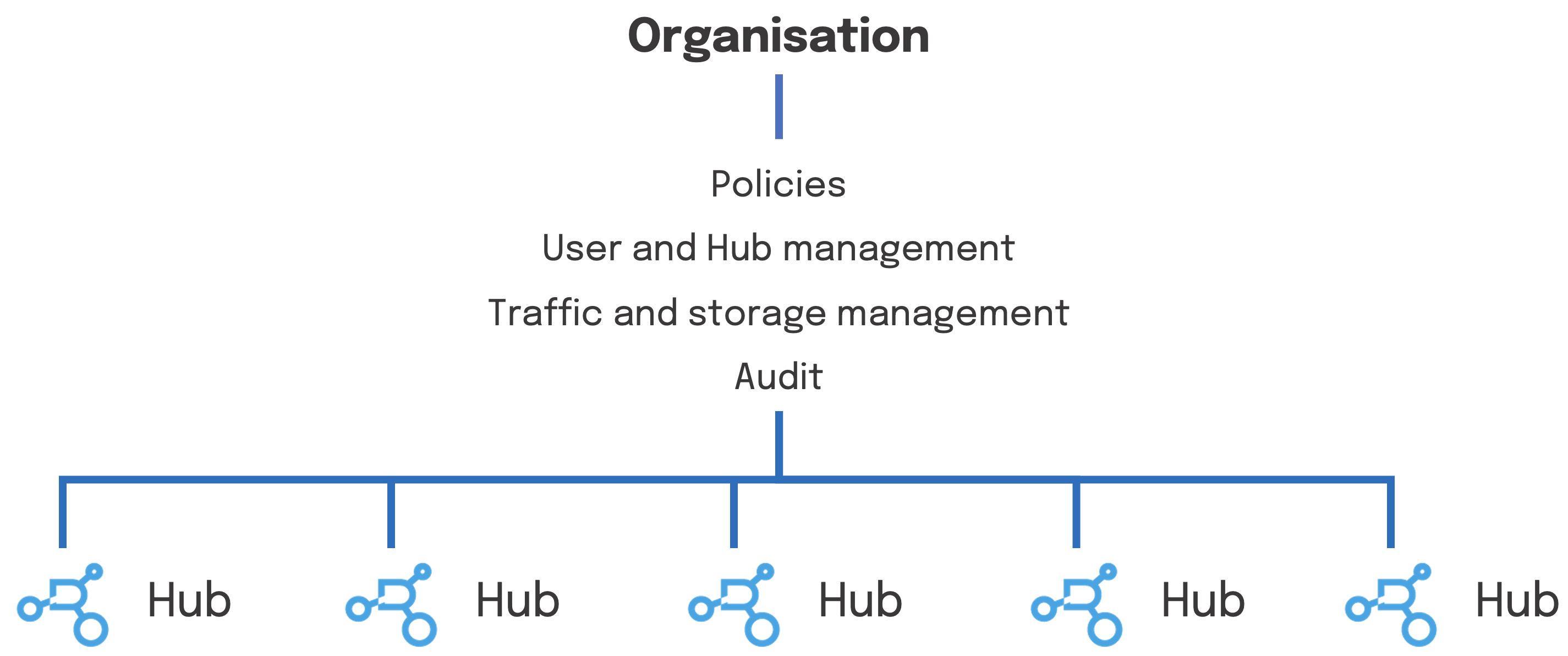
An organisation can have multiple tenancies if they have multiple requirements sets for governance. In effect, this means that varying policies can be applied for groups of Hubs (and users). For users that are part of multiple Tenancies, the strictest policy set is applied.
Tenancies are created by DekkoSecure account staff and a new one will be opened for you at the commencement of your agreement. Please contact your account manager to request additional Tenancy creation.
Hubs
Hubs are useful for segregating teams, projects, workflows or engagements in to seperate workspaces to mirror real-world business processes. DekkoCORE have two types of Hubs: Core Hubs and Fusion Hubs.
Core Hubs function as a ‘whitelist’ so that content uploaded to a Hub can only be shared with Hub members, preventing misaddressing. Core Hubs are also where visibility control is assigned. Audit trails are able to be viewed per-Hub by Hub or Tenancy Admins.
Fusion Hubs are designed for structured record management. Sharing is implicit: groups and individuals (a group of 1) are added as default sharing parties to the Hub, and everything uploaded is instantly shared with the chosen group. Sharing groups are created and managed in the Tenancy Manager.
Hubs belong to a Tenancy, and Tenancy polices apply to users in each Hub (i.e., 2FA enforcement).
Example uses for Hubs:
Law enforcement agency - warrants, reports, plans, suppliers, tenders
Defence prime - suppliers, subcontractors, clients
Health - clients, providers, hospitals, agencies
Example Hub and folder structure:
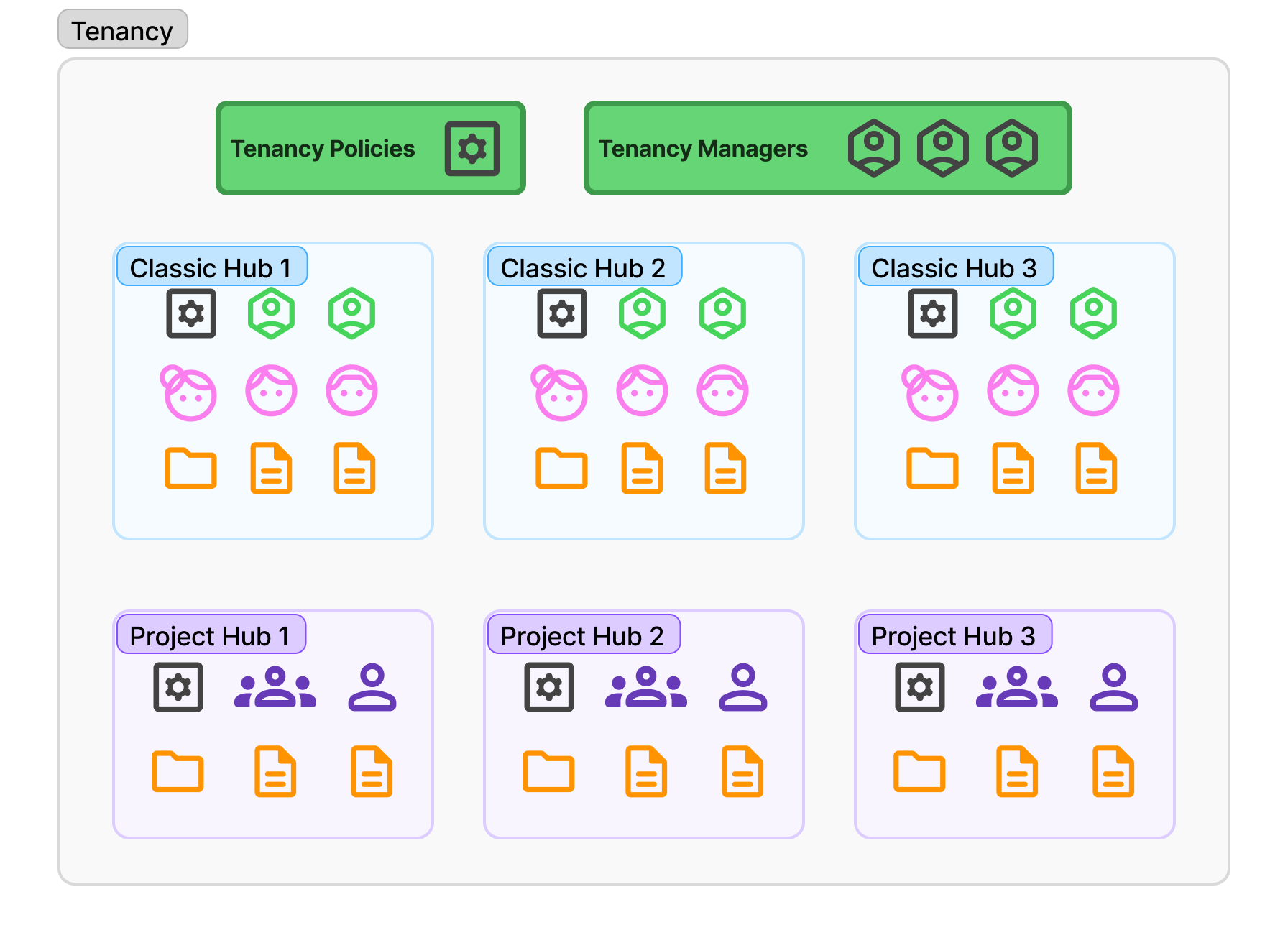
Restricting who in a Tenancy can create Core Hubs can be managed via a Tenancy policy. Fusion Hubs can only be enabled by DekkoSecure Staff.
Users are not added to any Hubs automatically. Admins of Hubs or members of Hubs of the ‘Team member’ type are able to send invites for Hub membership.
User registration
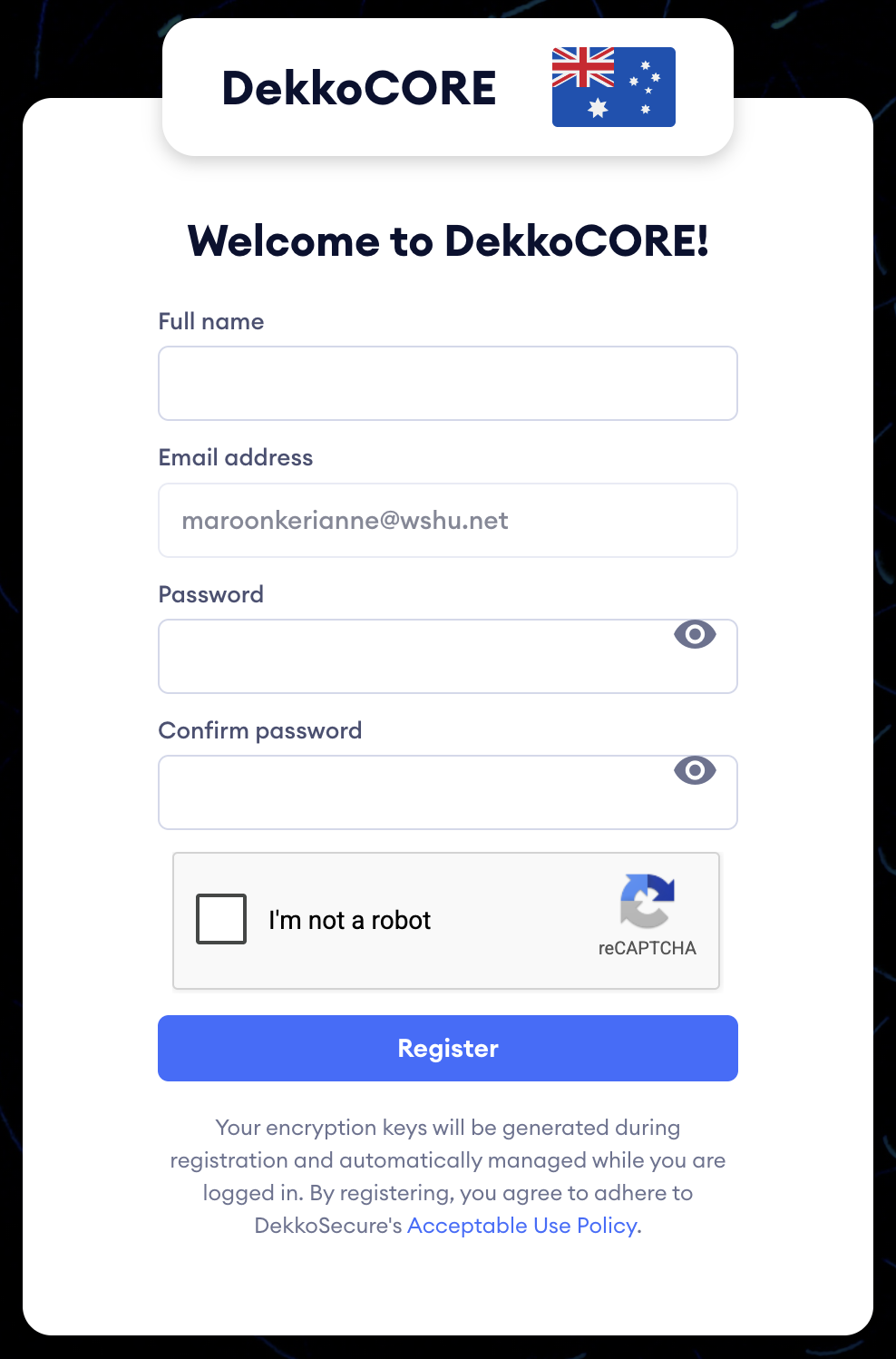
Internal and external users are able to register quickly via an invite link that is originated from an existing user. The invite link leads to a short form which has the invitee’s email address pre-filled - the only info required is a name and account password.
This process automatically generates the user’s public and private encryption keys. Private keys are encrypted using the user’s password, which is hashed and salted before it is send to DekkoSecure’s servers. Automatic account provisioning is supported for clients w/ Entra ID SSO integration.
For organisations with oversight requirements that need administrative accounts to access all files, you can implement the Content Access Admin Policy.